

Jazz Balance Save Code: Protect Your Mobile Balance
In Pakistan, where prepaid mobile users dominate, saving mobile balance is a serious concern. One of the most common issues Jazz users face is unexpected balance deduction, even when an internet package is already active. This usually happens due to background data usage by apps and system services. If you’re a Jazz prepaid user facing this problem, there’s good news. jazz balance save code is a simple, free solution that protects your mobile credit. This guide explains everything about the Jazz balance save code, how it works, how to activate or deactivate it, and additional tips to ensure your balance stays safe.
Why Is Your Jazz Balance Being Deducted?
Before learning how to save Jazz balance, it’s important to understand why balance deductions happen.
Even with an active data bundle, apps like WhatsApp, Instagram, Facebook, or system updates continue running in the background. When your data MBs expire, these apps instantly start consuming your main prepaid balance without warning. This results in silent and frustrating deductions.
If you’ve ever wondered “how to save balance in Jazz when data is on”, the solution lies in Jazz’s built-in Balance Saver service.
What Is the Jazz Balance Save Code?
The Jazz balance save code *275# is an official USSD code that activates Jazz’s balance protection service. Once enabled, your phone will stop using mobile data from your main balance after your internet bundle is exhausted.
What Does It Do?
- Blocks internet usage once data MBs end
- Prevents background apps from consuming balance
- Protects prepaid credit automatically
- Works on Android and iPhone devices
If you’re searching for the jazz balance save code, here it is: *275#.
How to Save Balance in Jazz – Step-by-Step Guide
Activate Jazz Balance Saver (USSD Method)

This is the fastest and most popular method.
- Open your phone dialer
- Dial *275#
- Press the call button
- Wait for a confirmation SMS
Your Jazz balance saver will be activated instantly.
How to Deactivate Jazz Balance Saver
If you ever want to turn the service off, use this code:
Dial: *275*4#
You’ll receive a confirmation message after successful deactivation.
Save Jazz Balance Using Jazz World App
If you prefer app-based control, Jazz World makes it even easier.
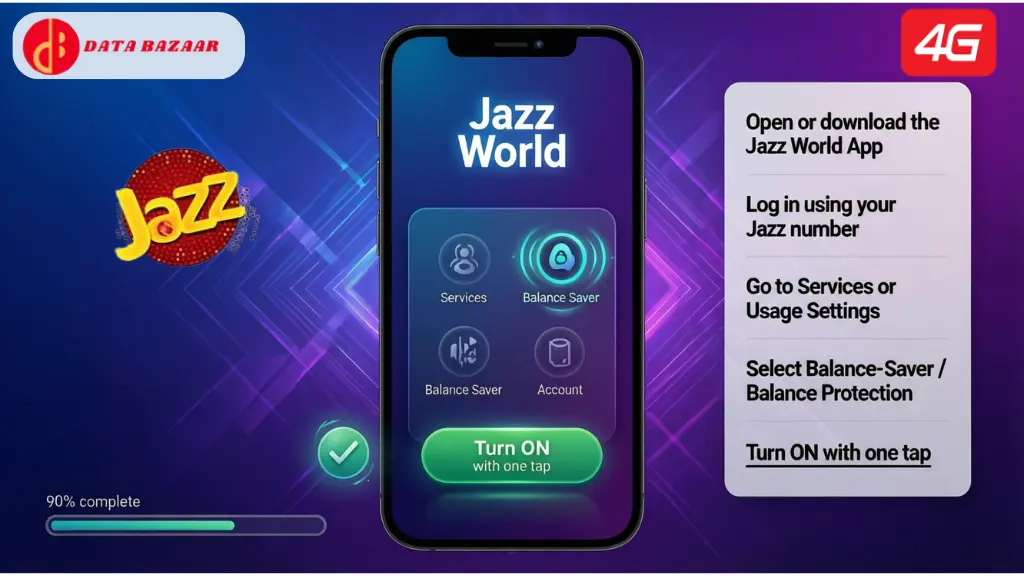
Steps:
- Open or download the Jazz World App
- Log in using your Jazz number
- Go to Services or Usage Settings
- Select Balance Saver / Balance Protection
- Turn it ON with one tap
This method is ideal for users who want a digital way to save Jazz balance without dialing codes.
Is Jazz Balance Saver Free?
Yes, Jazz Balance Saver is 100% free.
- No activation charges
- No daily or monthly fee
- No impact on other Jazz services
It’s one of the best free features available for Jazz prepaid customers.
How to Save Balance in Jazz When Data Is On?
Besides activating the balance save code Jazz, follow these extra tips for maximum protection:
Additional Balance Saving Tips
- Restrict background data for apps like Facebook, TikTok, YouTube
- Turn off auto-updates on mobile data (Wi-Fi only)
- Monitor usage via Jazz World App
- Enable low-data alerts
When combined with *275#, these steps ensure full control over your mobile balance.
Real-Life Example
Ali, a student from Lahore, used Jazz internet packages. Despite having bundles, his balance kept disappearing. After activating the Jazz balance save code (*275#), his internet stopped automatically when MBs ended—without touching his balance. Since then, he hasn’t faced a single unexpected deduction.
This is a perfect example of how saving balance in Jazz can make a real difference.
Final Thoughts
For every Jazz prepaid user, learning how to save balance in Jazz is essential. The Jazz balance saver service, activated through *275#, provides complete protection against unwanted balance deductions caused by background data usage.
Whether you prefer using USSD codes or the Jazz World App, enabling this feature takes only seconds—but saves your hard-earned credit every day.
📱 Dial *275# now or activate Balance Saver via Jazz World App and enjoy stress-free mobile usage.


