
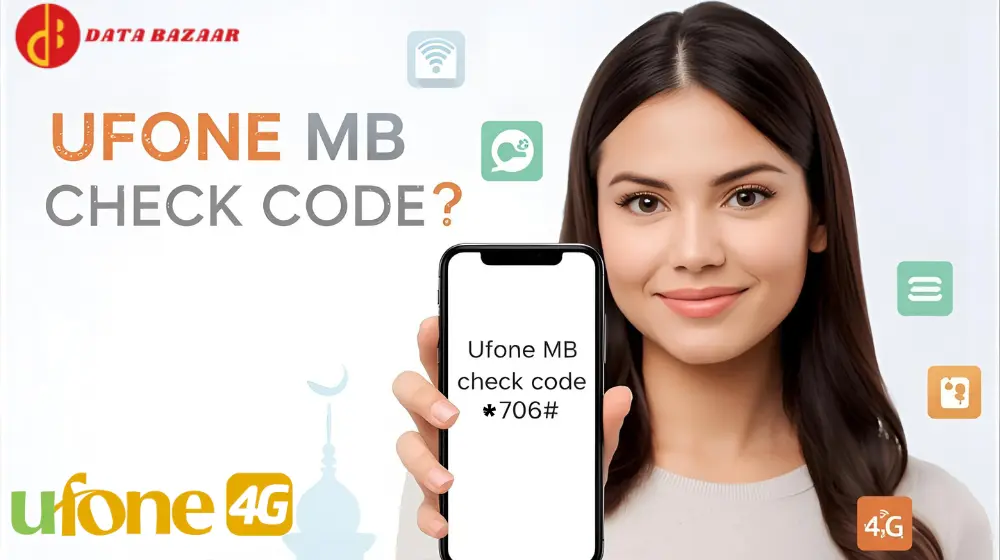
Ufone MB Check Code – How to Check Your Data Balance
If you are a Ufone internet bundles user and frequently use internet bundles, it is necessary to monitor your data consumption. A lot of people frequently get confused about how to check available MBs at that moment. In this tutorial, we will inform you about all things Ufone MB check code, how to check it, and other easy ways to check data consumption.
What is Ufone MB Check Code?
Ufone MB check code enables you to find out how many internet MBs you still have in seconds. The service informs you about how much data you still have in your Ufone internet package. You can prevent running out of data unknowingly and manage your mobile data usage with the help of this code.
Ufone MB Check Karne Ka Tarika
If you are searching for Ufone MB check karne ka tarika, do not worry — it is very simple. Just do the following simple steps:
- Open your phone dial pad.
- Dial *706#.
Wait for a few seconds, and you will receive an SMS showing your available MBs, minutes, and SMS details.
This is a genuine Ufone MB check code and can be used by both prepaid and postpaid users.
Ufone MB Check Code Free
One of the things that are best about Ufone MB check code is that it is absolutely free of charge. You are not required to pay any balance or charge for Ufone MB check code. So, if you want Ufone MB check code free, just dial *706#, and you will receive your internet usage details immediately.
But at times Ufone can charge a very small amount (for e.g., Rs. 0.01) for use of the service depending upon your package type, so always maintain some small balance in your account.
Alternative Method: Ufone MB Check App
Other than using the code, you also see your available data through the Ufone MB check app titled the My Ufone App. The app supports both Android and iPhone devices.
To view the Ufone MB check app, follow these steps:
- Download My Ufone App from the Google Play Store or Apple App Store.
- Launch the app and activate your Ufone number.
- After logging in, you will be able to view the remaining MBs, minutes, and SMS on the home page.
The Ufone MB check app is a quick and easy way of accessing your Ufone account and viewing your internet usage at any time.
How to Check MBs in Various Ufone Packages?
Here’s how you can check the Ufone MB check code for various packages:
1. Daily Internet Packages
If you’ve purchased a daily package, simply dial *706# to check remaining MBs and validity period.
2. Weekly Internet Packages
To check MBs in a weekly package such as Ufone Weekly Internet Plus or Ufone Weekly Super Internet, use the same Ufone MB check code *706#.
3. Monthly Internet Packages
For a month-based package such as Ufone Monthly Light, Monthly Heavy, or Super Card Monthly, you can check your MBs by dialing *706# or the My Ufone App.
Ufone MB Check through SMS
At times it is convenient using SMS rather than dialing codes. However, presently there is no particular SMS facility available on Ufone for checking MBs. But after dialing #706#, you will receive a confirmation SMS displaying you your internet usage detail. So automatically all your details will come to you through SMS too.
Ufone MB Check for Super Card Users
If you have any Ufone Super Card (Mini, Plus, or Gold), you can even view your available MBs through the same Ufone MB check code. Dial the code *706#, and your message will display internet data, call time, and SMS in your Super Card package.

- Why You Should Check MBs Regularly
- You should check your available MBs on a regular basis because:
- It prevents you from extra data charges.
- You can control your data usage efficiently.
- You will know when your package is running out.
- It helps you calculate when to resubscribe or recharge a fresh bundle.
By either the Ufone MB check code or the Ufone MB check app, both being prompt and trustworthy.
Issues and Resolutions
1. Code Not Working
If the Ufone MB check code does not work, you can try restarting your phone or seeing if you have a network connection. Occasionally temporary issues with the network will delay things.
2. Inaccurate MB Details
In case you get incorrect MB details, you can try to open the My Ufone App to verify. The app will always reflect new and correct information.
3. No SMS Received
In case you don’t receive an SMS after calling *706#, make sure your inbox has sufficient space or try again after a few minutes.
Ufone MB Check through My Ufone Account Online
Alternatively, you may check the data online on Ufone’s website. Log in to your My Ufone Account with your mobile number and password. Once logged in, your internet, call, and SMS balance will be visible on your dashboard.
This is an easy option if you want to monitor your usage on a laptop or computer compared to using a mobile app.
Tips to Save Your Ufone MBs
- Deactivate mobile data when not in use.
- Use Wi-Fi for heavy downloads.
- Shut down running apps consuming data.
- Monitor MBs frequently by using Ufone MB check code or Ufone MB check app.
By implementing these tips, you are able to save your data and utilize it in a more productive way.
Conclusion
The Ufone MB check code is a handy and easy method of keeping an eye on your internet data. Whether you call *706#, get the Ufone MB check karne ka tarika from the app, or check online, Ufone gives you instant updates on your data balance. With Ufone MB check code free and Ufone MB check app, now it is convenient to monitor your accessible MBs, prevent disconnection shocks, and have trouble-free browsing experience on your Ufone network.


